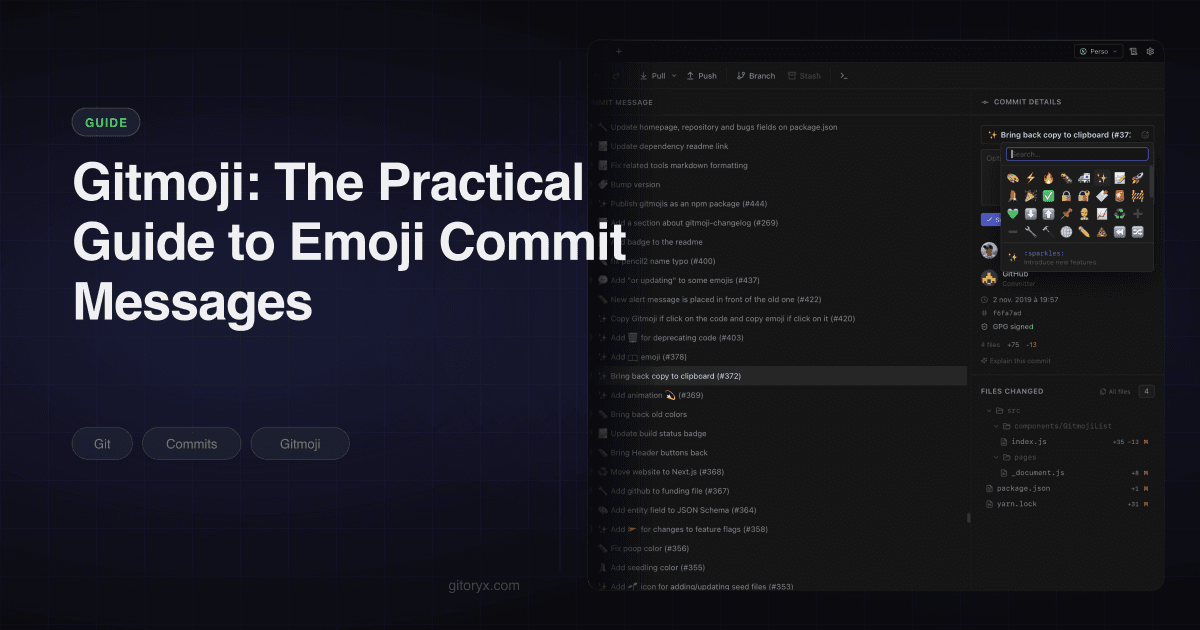
Scroll through a commit history that uses gitmoji and something happens that is hard to appreciate until you have lived with it: you stop reading. Your eye finds the ✨ commits when you want to know what was added, the 🐛 commits when you are hunting a regression, and skips the 🔧 and ⬆️ noise entirely.
That is the whole value proposition. One character at the front of the subject line encodes the category of the change, and categories are what you are actually filtering for most of the time you look at a log.
Gitmoji is the published convention for that: a fixed list of emoji, each with a shortcode and a defined meaning. Because the list is fixed and public, tools can parse it, which is where the second half of the value comes from.
#Why commit conventions exist at all
Two reasons, and they are worth separating because teams often adopt a convention for the first and get most of the payoff from the second.
The first is scanning. A history where every subject line is free-form prose requires you to read each one. A history where the first token tells you the type lets you skip most of them. That difference compounds on a repository with thousands of commits.
The second is automation. Once the type of a change is encoded in a position a machine can find, you can generate release notes from the history instead of writing them by hand. That is the entire premise of tools like git-cliff and Release Please, and it only works if the convention is applied consistently.
Everything else people argue about, whether the subject should be imperative mood, whether it should be capitalised, how long the line can be, is secondary. Our commit conventions tutorial goes through those details if you want them.
#Why an emoji rather than a word
The obvious objection is that feat: conveys the same thing as ✨ and requires no lookup
table. That is true, and there are two reasons teams pick the emoji anyway.
The first is visual weight. A column of feat:, fix: and chore: prefixes is still a
column of text, and text does not separate from the text after it. An emoji is a distinct
shape and colour, so scanning becomes pattern matching rather than reading. That
difference is small on ten commits and large on four hundred.
The second is granularity. Conventional Commits has around ten types in common use, and
teams bolt on scopes to get more precision. Gitmoji ships seventy-odd categories, so a
dependency bump, a CI change and a config edit are three distinct signals rather than
three chore: commits.
The tradeoff runs the other way on tooling. Conventional Commits is a formal specification with a published grammar, so linters and release automation support it without configuration. Gitmoji is a list of emoji, so anything parsing it needs to be told the mapping. That is a config file rather than a blocker, but it is why Release Please and similar tools require Conventional Commits.
If you want the full side by side, we wrote one on gitmoji versus Conventional Commits.
#The vocabulary worth knowing
The official list has over seventy entries. You do not need seventy. These are the ones that cover almost everything a normal project produces, taken directly from the gitmoji specification.
| Emoji | Code | Use for | Example |
|---|---|---|---|
| ✨ | :sparkles: | A new feature | ✨ add CSV export to reports |
| 🐛 | :bug: | A bug fix | 🐛 reject expired tokens on refresh |
| 🩹 | :adhesive_bandage: | A small non-critical fix | 🩹 pad the footer on mobile |
| 🚑️ | :ambulance: | A critical hotfix | 🚑️ restore checkout after payment outage |
| ♻️ | :recycle: | Refactoring, no behaviour change | ♻️ extract auth guard into middleware |
| 🎨 | :art: | Structure or formatting of the code | 🎨 reorder imports across the API layer |
| ⚡️ | :zap: | Performance improvement | ⚡️ memoize the commit graph layout |
| 🔥 | :fire: | Removing code or files | 🔥 drop the legacy webhook handler |
| 💄 | :lipstick: | UI and styling | 💄 tighten spacing in the sidebar |
| 📝 | :memo: | Documentation | 📝 document the rate limit headers |
| ✅ | :white_check_mark: | Adding or updating tests | ✅ cover the token refresh path |
| 🔧 | :wrench: | Configuration files | 🔧 raise the eslint max-warnings to 0 |
| 👷 | :construction_worker: | CI build system | 👷 run the test matrix on Windows |
| ⬆️ | :arrow_up: | Upgrading dependencies | ⬆️ bump next to 15.4.2 |
| 🔒️ | :lock: | Security or privacy fixes | 🔒️ escape user input in the search view |
| 💥 | :boom: | Breaking changes | 💥 remove the v1 REST endpoints |
| 🔖 | :bookmark: | Release or version tags | 🔖 v2.4.0 |
| 🚀 | :rocket: | Deployment | 🚀 promote build 4821 to production |
Three of these carry semantic versioning meaning in the official spec, which matters if you ever wire the convention into automated version bumps: ✨ maps to a minor release, 🐛 and ⚡️ map to a patch, and 💥 maps to a major.
#The second tier, if you need it
The eighteen above cover most repositories. A handful more earn their place on certain kinds of project, and they are worth knowing so you can add them deliberately rather than inventing something.
| Emoji | Code | Use for |
|---|---|---|
| 🚨 | :rotating_light: | Fixing compiler or linter warnings |
| ✏️ | :pencil2: | Typos, in code or copy |
| 💬 | :speech_balloon: | User-facing text and literals |
| 🌐 | :globe_with_meridians: | Internationalisation |
| ♿️ | :wheelchair: | Accessibility improvements |
| 🗃️ | :card_file_box: | Database schema and migrations |
| 🏷️ | :label: | Types and type definitions |
| 🚩 | :triangular_flag_on_post: | Feature flags |
| ⏪️ | :rewind: | Reverting a change |
| 💚 | :green_heart: | Fixing a broken CI build |
| ⚰️ | :coffin: | Deleting dead code |
A few in the official list are best avoided on a professional repository regardless of how funny they are. 💩 for bad code, 🍻 for code written drunk and 🤡 for mocks all exist in the spec. The first two say something about the commit that you probably do not want in a changelog a customer might read, and the third is routinely confused with ✅ for tests.
#Choosing between the ones that overlap
Most of the friction in practice comes from four or five pairs that look interchangeable. Deciding these once removes almost all the day-to-day hesitation.
🐛 versus 🩹 versus 🚑️. Severity, not size. 🚑️ is for something broken in production right now. 🐛 is a normal bug fix going through the usual process. 🩹 is a cosmetic or low-impact fix that a user would probably never report. If in doubt, use 🐛.
♻️ versus 🎨. ♻️ changes the structure of the code, 🎨 changes its appearance. Extracting a function is ♻️. Running a formatter or reordering imports is 🎨. A refactor that also happens to reformat is ♻️, because the structural change is the point.
✨ versus 💄. ✨ is new capability, 💄 is how existing capability looks. Adding a dark mode toggle is ✨. Adjusting the padding on the toggle is 💄.
🔧 versus 👷 versus ⬆️. 🔧 is project configuration such as tsconfig.json or .eslintrc.
👷 is the CI pipeline itself. ⬆️ is dependency versions. The three are frequently lumped
together as "chores" and separating them is one of the main reasons to use gitmoji at all,
because it lets a changelog filter drop dependency noise while keeping config changes that
affected behaviour.
#Setting it up
You can type the emoji yourself. On macOS that is Ctrl+Cmd+Space, on Windows
Win+., and after a week your muscle memory covers the six you use most.
If you would rather be prompted, gitmoji-cli wraps git commit with an interactive
picker.
npm install -g gitmoji-cli

# Interactive commit: pick an emoji, then fill in scope and message.
gitmoji -c

# Search the list when you are not sure which one applies.
gitmoji -s "dependency"
It can also install a prepare-commit-msg hook so the picker fires on any git commit,
including commits started from another tool:
gitmoji --init
That works, but it has a downside worth knowing about: a hook that opens an interactive prompt interferes with non-interactive commits, which is a problem in scripts and CI. If you go the hook route, keep it local rather than committing it into the repository. The git hooks tutorial covers how to keep local and shared hooks separate.
To enforce the convention rather than merely offer it, add a commit-msg hook that
rejects any subject line not starting with an emoji from your list. That is a five-line
shell script and it does more for consistency than any amount of documentation.
#The enforcement hook
This is the version worth shipping. It lives at .githooks/commit-msg and lets merge and
revert commits through, because Git generates those messages itself.
#!/usr/bin/env bash
subject=$(head -n1 "$1")

case "$subject" in
  "Merge "*|"Revert "*|"fixup! "*|"squash! "*) exit 0 ;;
esac

allowed="✨|🐛|🩹|🚑️|♻️|🎨|⚡️|🔥|💄|📝|✅|🔧|👷|⬆️|🔒️|💥|🔖|🚀"

if ! printf '%s' "$subject" | grep -qE "^($allowed) .+"; then
  echo "✗ Subject must start with an approved gitmoji. See CONTRIBUTING.md" >&2
  echo "  $subject" >&2
  exit 1
fi
Hooks in .git/hooks are not versioned, so point Git at a directory that is:
git config core.hooksPath .githooks
chmod +x .githooks/commit-msg
Every contributor still has to run that config line once, which is the weak point. Put
it in your setup script, or use a manager such as Husky or Lefthook that wires it up on
install. The git hooks tutorial covers the tradeoffs.
#Using it inside a Git client
Typing shortcodes is fine until you are committing from a GUI, where the picker either exists or you are back to the system emoji panel.
Gitoryx has the picker built into the commit form, backed by the published gitmoji list
rather than a hand-maintained subset, so anything you insert from it is a real code. The
message field itself stays free text, so the picker is a convenience rather than a
constraint. The AI commit message generator emits whichever form you have configured, the
emoji character or the :code: shortcode, so generated messages land in the same
convention as hand-written ones instead of sitting slightly outside it.
That matters more than it sounds. A convention that applies to eighty percent of commits is not a convention, it is a suggestion, and every tool downstream that depends on parsing it inherits the gap.
There is a subtlety about what actually gets stored. Two representations exist: the
shortcode :sparkles: and the character ✨. Commit the character. It renders in git log,
in every forge's web interface, in your changelog and in your editor's blame gutter,
whereas the shortcode only renders in tools that know to translate it, which in practice
means GitHub's web UI and not much else. The shortcode is also longer, and it survives into
generated release notes as literal text if your changelog tool does not convert it.
The reason :code: exists at all is that it is easy to type and easy for a model to emit.
gitmoji-cli converts it to the character before the commit object is written. Not every
tool does, and some render shortcodes as emoji in their own UI while storing the literal
text, which looks identical until something else reads the history.
Check what actually landed after your first few commits:
git log --oneline -5
If you see :sparkles: rather than ✨, your repository is storing shortcodes, and every
changelog generator and forge that reads it needs to be configured for that.
#Gitmoji and semantic versioning
The official spec tags some entries with a semver level, which is enough to compute the next version from a commit range mechanically. ✨ is a minor bump. 🐛, 🩹, 🚑️, ⚡️ and 🔒️ are patches. 💥 is a major. Everything structural, ♻️ 🎨 📝 ✅ 👷, bumps nothing.
The caveat is that a ✨ commit which also removes an option is a breaking change and the
emoji will not say so. That is why release automation generally requires an explicit
marker rather than inferring severity, and why Conventional Commits, with its ! and
BREAKING CHANGE: footer, is the better fit if you want the version bump fully automated.
#Where gitmoji pays off: changelogs
This is the part that turns a cosmetic convention into an operational one.
Because every commit begins with a token from a known list, a changelog generator can
group commits into sections without any branch naming rules, without commit trailers,
and without anyone maintaining a file by hand. That is the same idea we cover in more
depth in our roundup of changelog tools, and git-cliff
does the grouping with a few lines of TOML:
[git]
conventional_commits = false
filter_unconventional = false
commit_parsers = [
  { message = "^✨", group = "Features" },
  { message = "^🐛", group = "Bug Fixes" },
  { message = "^🚑️", group = "Hotfixes" },
  { message = "^⚡️", group = "Performance" },
  { message = "^🔒️", group = "Security" },
  { message = "^♻️", group = "Refactoring" },
  { message = "^📝", group = "Documentation" },
  { message = ".*", skip = true },
]
The final .* rule is the one people forget. Without it every 🔧 config tweak and ⬆️
dependency bump ends up in the release notes, which is exactly the noise you adopted the
convention to remove.
Run it against a tag range and you have release notes:
git cliff v1.4.0..v1.5.0 --output CHANGELOG.md
#Using both gitmoji and Conventional Commits
You do not have to choose. A hybrid format that a surprising number of teams land on:
✨ feat(billing): add invoice PDF export
🐛 fix(auth): reject expired tokens on refresh
♻️ refactor(billing): extract the VAT lookup
The emoji gives you visual scanning. The Conventional Commits body gives you compatibility with every tool that expects the formal grammar, including Release Please, commitlint and semantic-release.
The cost is a longer subject line and a slightly redundant feel, since ✨ and feat say the
same thing. Whether that is worth it depends on whether you need the tooling. If you are
running Release Please, you need Conventional Commits regardless, and the emoji is a free
addition. If you are running git-cliff, you can pick either and configure it accordingly.
For the parsing side, most tools need to be told to skip the leading emoji. In commitlint
that is a custom headerPattern in parserPreset.parserOpts that allows an optional
non-space token before the conventional type.
#Adopting it on an existing repository
The rollout that works is boring.
Agree the subset first, in a fifteen-minute conversation, and write it into
CONTRIBUTING.md. Teams that install gitmoji-cli before deciding on a list end up with
everyone picking from seventy options and no shared meaning. If your team is also
formalising a branching model around the same time, our Git Flow guide
is worth reading alongside this, since a commit convention and a branching convention tend
to get decided in the same conversation.
Add the hook a week later, not the same day. A convention introduced together with an enforcement mechanism reads as a rule imposed on the team; the same convention adopted first and enforced afterwards reads as something the team decided.
Then wire up the changelog. Once a few weeks of commits follow the convention, point git-cliff at the range and look at what falls out. That is the moment it stops feeling like overhead, and it is far more persuasive than arguing for it in advance.
Here is roughly what that looks like on a real team. A five-person backend squad agrees on
a subset of twelve emoji, writes them into CONTRIBUTING.md, and starts using them the
following sprint. Two weeks in, their history reads like this:
🚑️ restore checkout after payment outage
🐛 reject expired tokens on refresh
✨ add invoice PDF export
♻️ extract the VAT lookup into its own module
⬆️ bump next to 15.4.2
🔧 raise the eslint max-warnings to 0
✅ cover the token refresh path
📝 document the rate limit headers
Nobody assigned who does what; the emoji is just how the team writes commits now, the same way everyone already agrees on indentation. Merge conflicts over commit style stop happening because there is nothing left to argue about. Once that pattern holds for a sprint or two, pointing git-cliff at the tag range turns it into a changelog without anyone writing one:
## v1.5.0

### Hotfixes
- restore checkout after payment outage

### Features
- add invoice PDF export

### Bug Fixes
- reject expired tokens on refresh

### Refactoring
- extract the VAT lookup into its own module
The dependency bump and the eslint tweak do not appear, because the team's git-cliff.toml
skips anything outside their twelve approved categories. That is the payoff: the changelog
looks curated even though nobody curated it, and if the same team is also using
interactive rebase to clean up a branch before merging, the
commits that land on the target branch are exactly the ones worth summarising, with no
wip or fix typo noise for git-cliff to filter out.
#The mistakes that ruin it
Using too many. The full list has seventy-something entries. Adopt all of them and nobody remembers whether a logging change is 🔊 or 📝 or 🔧, so people guess, and the categories stop meaning anything. Ten to fifteen is the working range.
Ambiguous choices left undecided. Is a change to a test helper ✅ or ♻️? Is a dependency bump that fixes a CVE ⬆️ or 🔒️? There is no universally right answer, but there is a right answer for your repository, and it should be written down. Pick the one that makes your changelog most useful and be consistent.
Inconsistency across a team. Half the commits carrying an emoji is worse than none, because it looks like a convention while being unusable for filtering or automation. If you adopt gitmoji, enforce it with a hook. If you are not willing to enforce it, do not adopt it.
Emoji instead of a message. ✨ update is not better than update. The emoji
replaces the category, not the content. The subject line still has to say what
changed, in the imperative, in under about seventy characters.
#Whether it is worth it
Gitmoji is a small convention with a specific payoff: history you can scan and release notes you do not have to write. It costs one keystroke per commit and the discipline to keep the list short.
If your team already runs Conventional Commits and your release tooling depends on it, there is no reason to migrate, and our comparison of the two explains where each one fits. If you have no convention at all and you have been meaning to fix that, this is the lowest-friction one to adopt, because a picker in your commit form removes the only real barrier: remembering the list.