
Compare
Gitoryx vs GitHub Desktop
GitHub Desktop was designed to help beginners get their code onto GitHub. For that use case, it works. But it has a flat list view with no commit graph, no interactive rebase, no merge conflict editor, no Git hooks support, no Linux support, and it only works well with GitHub. Gitoryx is a full-featured Git client that works with any host.
Feature comparison
| Feature | Gitoryx | GitHub Desktop |
|---|---|---|
| macOS / Windows support | ||
| Linux support | ||
| Works with any Git host | ||
| Visual commit graph | ||
| Interactive rebase | ||
| Merge conflict editor | ||
| 1-click undo/redo | ||
| Drag-and-drop actions | ||
| Git hooks support | ||
| GitFlow support | ||
| Built-in text editor | ||
| Free |
Commit graph
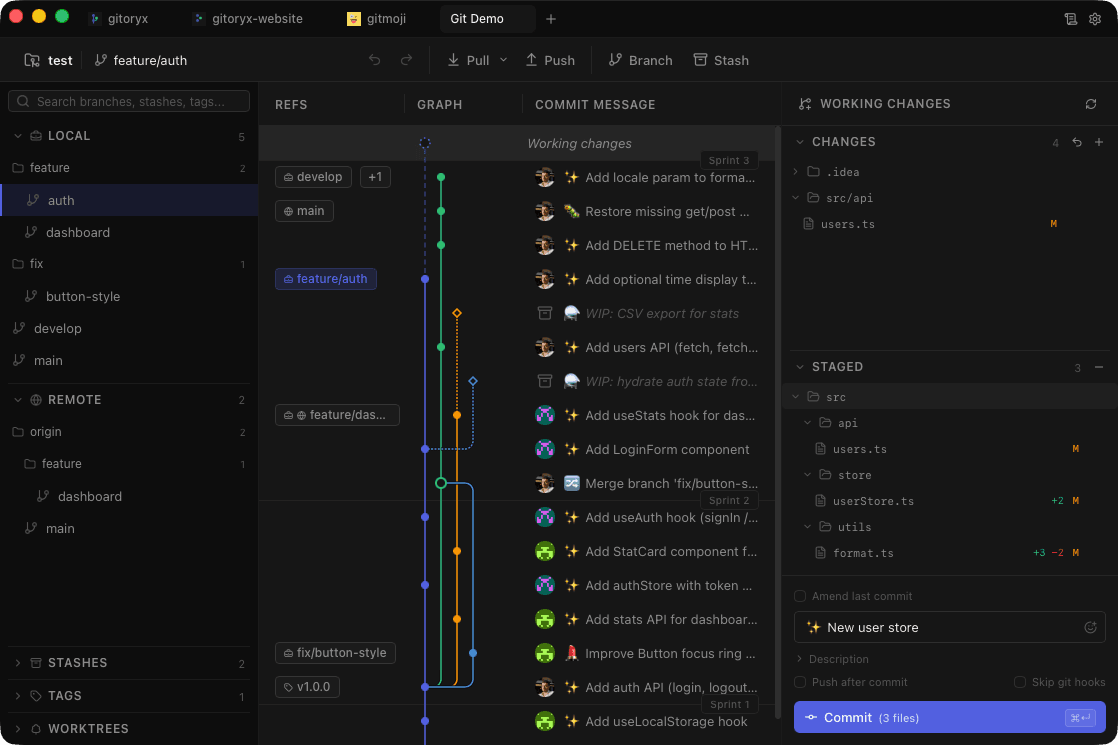
Gitoryx: Full visual graphGitHub Desktop: Flat list view onlyGitHub Desktop shows your project history as a flat list — one branch at a time. There is no graph view. Gitoryx renders a full visual commit graph the moment you open a repository, showing all branches, merges, and history across the entire project at a glance.
Git host support
Gitoryx: Any hostGitHub Desktop: GitHub onlyGitHub Desktop was built for GitHub. Integration with GitLab, Bitbucket, and Azure DevOps is either absent or requires manual workarounds with no official support. Gitoryx works equally well with all major hosting services.
Merge conflict resolution
Gitoryx: Built-in visual editorGitHub Desktop: Redirects to IDE or CLIWhen a merge conflict occurs in GitHub Desktop, you're shown a pop-up that tells you to open your IDE or the command line. Gitoryx includes a built-in merge conflict editor with side-by-side comparison and an output preview — no context switching required.
Feature depth
Gitoryx: Full Git feature setGitHub Desktop: Intentionally limitedGitHub Desktop deliberately keeps its scope minimal. It has no interactive rebase, no Git hooks support, no GitFlow, and no built-in text editor. Gitoryx covers the complete range of daily Git workflows, from beginner-friendly commits to advanced branch management.