Cross-platform consistency
- Gitoryx
- Identical on all platforms
- Sourcetree
- Separate Mac/Windows codebases
Sourcetree maintains two entirely separate codebases for macOS and Windows. This means features arrive at different times on each platform, bugs are platform-specific, and the interface behaves differently depending on which OS you're using. When your team is split across platforms, this causes real friction. Gitoryx is a single codebase built with Tauri 2 that delivers an identical experience on macOS and Windows: same features, same behavior, same release cycle.
Merge conflict resolution
- Gitoryx
- Built-in 3-way merge editor
- Sourcetree
- No built-in editor
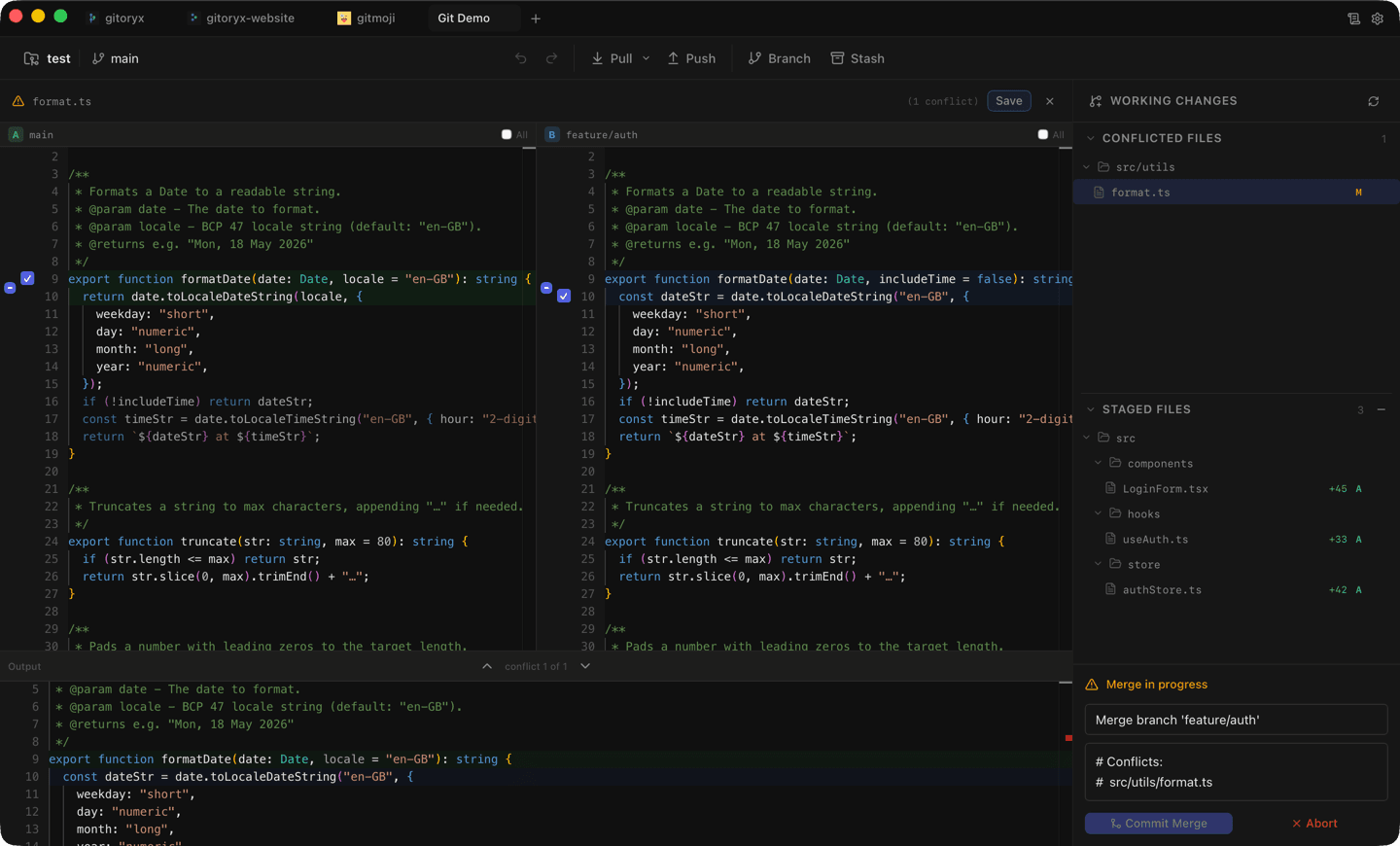
Sourcetree lacks a built-in merge conflict editor entirely. When conflicts occur, you're expected to configure and launch an external diff tool, which means leaving the app and managing a separate tool's configuration. Gitoryx includes a built-in 3-way merge conflict editor with inline editing, character-level diff highlighting, and an output preview. You resolve conflicts without leaving the application or configuring anything external.
Development activity & maintenance
- Gitoryx
- Actively developed, regular updates
- Sourcetree
- Rarely updated, bugs linger
Atlassian's focus is on Jira, Confluence, and Bitbucket, not Sourcetree. The app receives infrequent updates, and bug reports often go unaddressed for months or years. Long-standing issues with performance, UI glitches, and missing features remain unfixed. Gitoryx ships regular updates with new features and bug fixes, and responds actively to user feedback. If you've been waiting for a Sourcetree bug to get fixed, it may never happen.
Modern productivity features
- Gitoryx
- AI commits, command palette, drag-and-drop
- Sourcetree
- None available
Sourcetree has not kept up with modern productivity features. There are no AI commit messages, no command palette, no drag-and-drop branch operations, and no gitmoji support. Gitoryx includes all of these out of the box: AI commit messages from multiple providers, a command palette for instant access to any action, drag-and-drop for branch operations, and a built-in gitmoji picker. These features reflect the difference between active development and maintenance mode.
Pull request management
- Gitoryx
- GitHub, GitLab, Bitbucket, Gitea
- Sourcetree
- Bitbucket only (Atlassian product)
As an Atlassian product, Sourcetree has some integration with Bitbucket, but even that is limited. There is no in-app PR management for GitHub, GitLab, or Gitea. You're sent to the browser for everything. Gitoryx provides full in-app pull request creation and management across all four supported hosts, including their self-hosted variants.
Pricing & account requirements
- Gitoryx
- Free tier, no account needed
- Sourcetree
- Free but Atlassian account required
Sourcetree is free to use, which is its strongest selling point. However, it requires an Atlassian account to activate, even for local use. Gitoryx also has a free tier, works without any account, and offers affordable Pro tiers for advanced features. The difference is that Gitoryx's free tier comes with active development, regular updates, and features that Sourcetree simply doesn't have.