Now in Early Access · Free

The visual Git client built for modern developers

A fast, native Git GUI for macOS & Windows.Commit graph, interactive rebase, merge conflicts — without the CLI.

Free during early access · No account required · macOS · Windows

Features

Everything you need, nothing you don't

Built for developers who care about speed and craft.

Visual Commit Graph

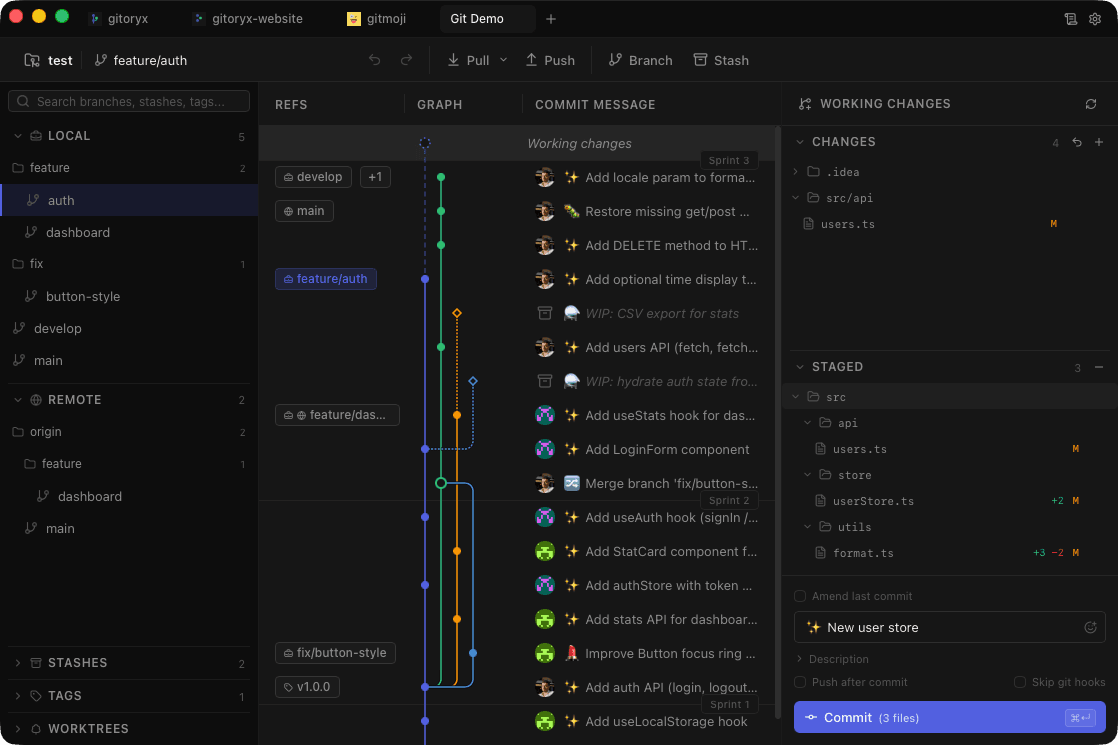
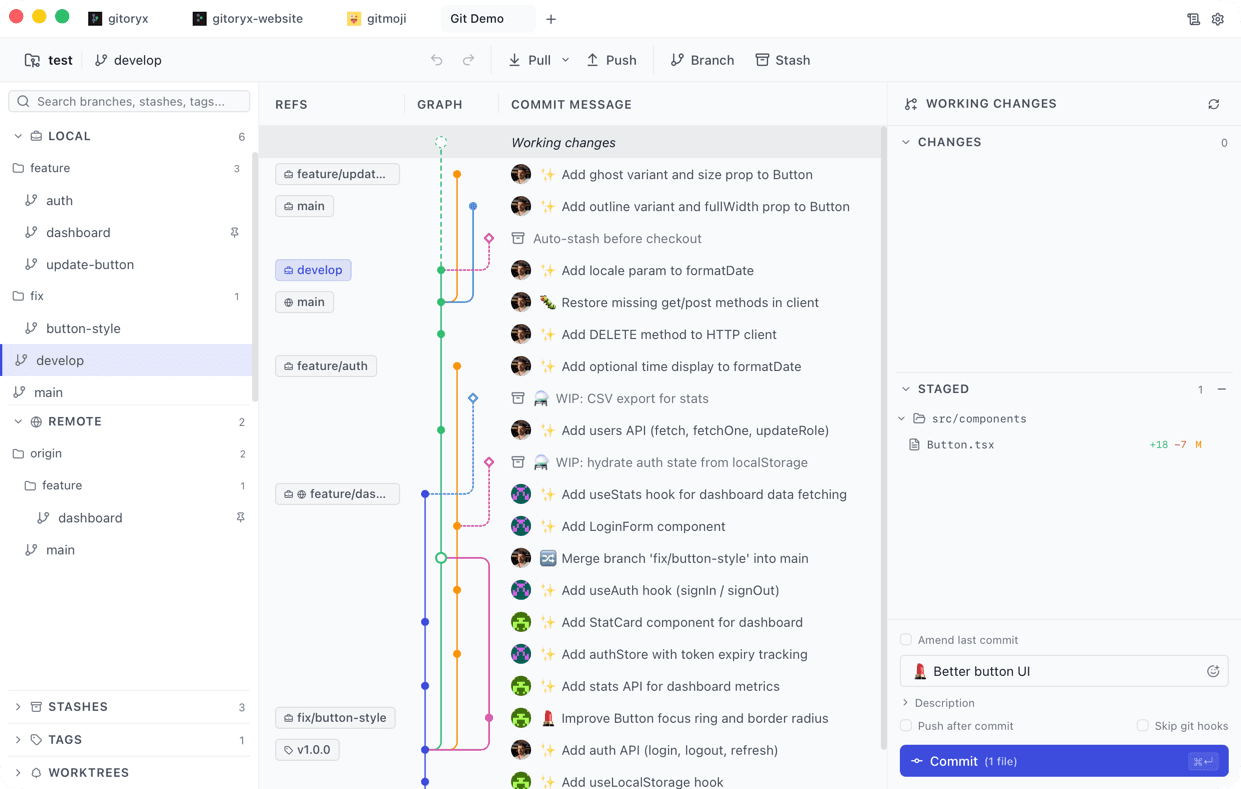
Browse your entire history with a beautiful, color-coded graph. Infinite scroll, virtualized rendering.

Syntax-Highlighted Diffs

Unified and split views with char-level diffing, minimap, and per-line staging.

Smart Staging

Stage entire files, individual hunks, or single lines. Tree view with collapsible directories and line counts.

Branch Management

Create, checkout, rename, delete. Hierarchical tree view with folder grouping for organized repos.

Gitmoji Integration

Pick from the full gitmoji library while writing your commit message. Emoji picker built right into the commit panel.

Stash & Reset

Save work-in-progress with stash. Reset to any commit — soft, mixed, or hard. All with undo safety.

Interactive Rebase

Reorder, squash, edit, or drop commits with an intuitive drag-and-drop interface.

Git Bisect

Pinpoint regressions in seconds. Visual binary search guides you commit-by-commit until the culprit is found.
Interactive Demo

See it in action

Explore commits, stage files, and create a fake commit. This is a simplified preview of the real Gitoryx experience.

Open on desktop

The interactive demo requires a larger screen. Visit this page on your computer to try it out.

Visual Git client

Visual Commit Graph

See your entire history at a glance

Gitoryx renders a pixel-perfect, color-coded commit graph that scales to thousands of commits without a frame drop. Track merge points, branch divergences, and tag positions instantly — no CLI mental model required.

  • Infinite scroll with virtualized rendering
  • Color-coded lanes for each branch
  • Merge commit visualization
  • Click any node for instant diff
Gitoryx commit graph showing color-coded branch lanes, merge nodes, and commit history
Git workflow

Interactive Rebase

Clean history, drag-and-drop simple

Stop memorizing rebase flags. Gitoryx exposes the full interactive rebase workflow in a clear, drag-and-drop list. Reorder, squash, fixup, edit, or drop commits before you push — with undo at every step.

  • Drag-and-drop commit reordering
  • Squash and fixup with one click
  • Edit commit messages inline
  • Full undo / redo support
Gitoryx interactive rebase panel with drag-and-drop commit list and squash controls
merge conflicts

Merge Conflict Resolution

Resolve conflicts without leaving Gitoryx

Conflicts are highlighted inline with a side-by-side three-way merge view: yours, theirs, and the base. Accept hunks individually, edit the result directly, and commit the resolution — all without switching to a separate tool.

  • Three-way side-by-side diff
  • Accept ours / theirs per hunk
  • Inline result editing
  • Conflict counter in file tree
Gitoryx three-way merge conflict resolution view with ours, base, and theirs columns
Git Workflow

GitFlow, Changelog & Sprints

From branch to release, fully visual

Gitoryx ships with first-class GitFlow support, automated changelog generation, and a sprint board built on top of your branches. Everything you need to ship structured releases — without leaving the app.

  • One-click GitFlow init with feature / release / hotfix branches
  • Auto-generated changelog from commit messages
  • Sprint board view to track work across branches
  • Visual branch type badges and auto-merge targets
  • Gitmoji picker built into the commit panel
Gitoryx branch sidebar with GitFlow structure showing feature, release, and hotfix branches
Cross-platform & Theming

Native on every OS. Beautiful in every theme.

Your eyes, your rules — on any machine

Gitoryx runs natively on macOS and Windows — no Electron. Pick light or dark mode, choose a colorblind-safe palette (blue/orange instead of red/green), and style your diffs with any Monaco Editor theme. Every setting syncs across OS.

  • macOS, Windows 10/11 — all native
  • Light & dark mode with system sync
  • Colorblind-safe palette (blue/orange)
  • Monaco Editor themes for diffs & code
Gitoryx UI split diagonally between dark mode and light mode on the same commit graph view
Gitoryx

Stop fighting Git. Start shipping.

Download the fast, native Git client that developers actually enjoy using. Free during early access — no account, no credit card.

v0.0.26 · macOS 12+ · Windows 10+ · Apple Silicon & Intel · ~12 MB