Most teams that say they use Git Flow are using about half of it. Feature branches off a shared integration branch, yes. Release branches, sometimes. Hotfix branches with the double merge back into both lines, usually not, which is why the same bug occasionally ships twice.
That is not a criticism so much as an observation about what the model costs. Git Flow is five branch types and four lifecycles, and every part of it exists to solve a specific problem. If you do not have that problem, the part is overhead. If you do have it and skip the part anyway, you get the failure it was designed to prevent.
So here is the complete model, and then an honest section about which teams should not use it.
#The five branch types
Vincent Driessen published the model in 2010 and it has barely changed since, which is unusual and says something about how well the shape fits versioned software.
| Branch | Lives | Branches from | Merges into | Contains |
|---|---|---|---|---|
main | Forever | none | none | Released code only, every commit tagged |
develop | Forever | main | main (via release) | Finished work waiting for the next release |
feature/* | Days to weeks | develop | develop | One feature in progress |
release/* | Days | develop | main and develop | A version being stabilised |
hotfix/* | Hours | main | main and develop | An urgent production fix |
Two of those are permanent and three are temporary. The permanent pair is the important
idea: main answers "what is in production", develop answers "what is going out next".
Keeping those two questions separate is most of the value of the model, and it is the
reason a single-branch workflow gets uncomfortable as soon as you have to support a
release while continuing to build.
#A feature, start to finish
The common case, and the one most teams already do.
git checkout develop
git pull
git checkout -b feature/invoice-pdf-export

# ... work, committing as you go ...

git checkout develop
git pull
git merge --no-ff feature/invoice-pdf-export
git branch -d feature/invoice-pdf-export
--no-ff is doing real work here. Without it, a feature branch whose base has not moved
will fast-forward, and the individual commits land on develop with no record that they
belonged together. With it you get a merge commit, which means the feature is one visible
unit in the graph and one thing to revert if it turns out to be a problem.
Before merging, clean up the branch. A feature branch that accumulated wip and
fix typo commits should be squashed into something readable with an
interactive rebase, because those commits are about to
become permanent history that someone will read during a regression hunt six months from
now.
#Keeping a long feature branch current
A feature branch that lives for three weeks will fall behind develop, and how you catch
it up matters. Two options, and the choice should be a team decision rather than a
per-developer habit.
# Option A: rebase. Keeps the branch a straight line off develop.
git checkout feature/invoice-pdf-export
git fetch origin
git rebase origin/develop

# Option B: merge. Preserves the exact commits, adds a merge commit.
git merge origin/develop
Rebase gives you a branch that reads as if it were written today, which makes the eventual
--no-ff merge into develop a clean single unit in the graph. It requires a force push
each time, so it is only appropriate while the branch is yours.
Merging is safe on a shared feature branch but produces a history where your commits are
interleaved with Merge branch 'develop' into feature/x entries that carry no information.
On a three-week branch you will accumulate five of them.
The usual rule: rebase while the branch is private, merge once someone else is working on it or review has started.
#A release, start to finish
This is the lifecycle that most half-implementations skip, and the one that earns its keep.
git checkout develop
git pull
git checkout -b release/1.5.0
From this moment, develop is open again. Anyone can merge a feature for 1.6.0 without
touching what is about to ship. That decoupling is the entire point of a release branch.
On the branch itself you do only two kinds of work: version bookkeeping, and fixes for problems found during QA.
# Version bump, changelog, whatever your release checklist says.
npm version 1.5.0 --no-git-tag-version
git commit -am "🔖 1.5.0"

# Bug fixes found in QA go here, not on develop.
git commit -am "🐛 round VAT to two decimals in the PDF renderer"
Then close it out. Both merges, in this order:
git checkout main
git merge --no-ff release/1.5.0
git tag -a v1.5.0 -m "Release 1.5.0"

git checkout develop
git merge --no-ff release/1.5.0

git branch -d release/1.5.0
git push origin main develop --tags
The second merge is the one people forget. Skipping it means the QA fixes made on the
release branch exist in production and not in develop, so the next release silently
undoes them. It is a quiet failure mode: nothing errors, the bug simply comes back a month
later.
Tagging matters too, and not only for release management. A tagged history is what makes it cheap to answer "which release introduced this", which we went through in finding when a bug hit production.
#A hotfix
Production is broken and develop contains three weeks of unreleased work you cannot
ship. This is exactly why main is a separate branch.
git checkout main
git checkout -b hotfix/1.5.1

git commit -am "🚑️ restore checkout for saved payment methods"

git checkout main
git merge --no-ff hotfix/1.5.1
git tag -a v1.5.1 -m "Hotfix 1.5.1"

git checkout develop
git merge --no-ff hotfix/1.5.1

git branch -d hotfix/1.5.1
Same double merge, same reason. One exception: if a release branch is currently open, the
hotfix should merge into that branch rather than into develop, because the release
branch will carry it to develop when it finishes. Merging into both produces a duplicate
that shows up as a conflict later.
#The fifth branch type nobody uses
Support branches are in the original model and almost never mentioned, because most teams do not have the problem they solve.
A support branch is a long-lived branch cut from an old release tag, used to keep shipping
fixes to customers who have not upgraded. If you have enterprise customers on 1.x while
you develop 2.x, support/1.x is where 1.x patches live.
git checkout -b support/1.x v1.9.3
# fix, then tag
git commit -am "🐛 fix session timeout on legacy auth"
git tag -a v1.9.4 -m "1.9.4"
The thing that makes support branches different from every other branch in the model:
they never merge back. A fix on support/1.x may or may not be relevant to develop, and
if it is, you cherry-pick it rather than merging, because merging would drag the entire
old line into the new one.
If you distribute software people install, you will need this eventually. If you run a web service with one live version, you never will, and the branch type is noise.
#What the graph looks like after three releases
The reason Git Flow is usually explained with a diagram is that the branch rules are hard to hold in your head and trivial to recognise once drawn.
main      ●───────────────●───────●─────────────●        v1.4.0  v1.4.1  v1.5.0
           \             /       /             /
release     \      ●───●        /       ●─────●          release/1.4.0, release/1.5.0
             \    /     \      /       /       \
develop  ●────●──●───────●────●───●───●─────────●
          \       \           /   /       \
feature    ●───●───●         /   ●─────●───●             feature branches
                            /
hotfix                 ●───●                             hotfix/1.4.1
Three things are readable here that are not readable from a flat list. Every commit on
main is a release. develop never touches main directly, only through a release or a
hotfix. And every temporary branch that goes up also comes back down, which is the double
merge made visual.
That is why the model is easier to follow in a client that renders the graph than in a
terminal. git log --graph produces the same information in ASCII, and past three
concurrent branches it stops being legible.
#When it is too much
Git Flow was designed in 2010 for software with versioned releases and supported older versions. It fits that shape extremely well. It fits continuous deployment badly, and being honest about that is more useful than defending the model.
The cost is concrete. Two long-lived branches means every change is merged twice, and the
gap between develop and main grows into a merge that nobody wants to do. Release
branches only pay off if there is a stabilisation period; if you deploy main on every
merge, a release branch is a branch that exists for four minutes. And the ceremony has a
way of becoming the point, where teams follow the branch structure without the release
cadence that justified it.
The alternative is trunk-based development: one long-lived branch, short-lived feature branches measured in hours or days, feature flags for anything not ready, and deploys straight from the trunk. Fewer moving parts, and it forces the practices that make it safe, namely small changes and real test coverage.
A rough guide:
Use Git Flow if you ship versioned releases, support more than one version in the field, have a QA phase between "code complete" and "shipped", or distribute software users install themselves.
Use trunk-based if you deploy continuously, have one production version, use feature flags, and have a test suite you trust enough to merge on green.
Use something in between if you are a small team on a web product, which most teams
are. Feature branches off main, no develop, release branches only when you actually
need to freeze. That covers the majority of cases and our
branching strategy tutorial goes through how to pick.
#The four models, side by side
| Git Flow | GitHub Flow | GitLab Flow | Trunk-based | |
|---|---|---|---|---|
| Long-lived branches | main + develop | main | main + environment branches | main |
| Feature branch life | Days to weeks | Days | Days | Hours to days |
| Release mechanism | Release branch + tag | Merge and deploy | Promote through environments | Deploy from trunk |
| Hotfix path | Dedicated branch, double merge | Branch off main, merge back | Cherry-pick to the environment branch | Fix forward |
| Needs feature flags | No | Sometimes | Sometimes | Yes |
| Fits | Versioned, installed software | Web apps deploying on merge | Teams with staging gates | Continuous deployment |
GitHub Flow is Git Flow with everything removed except feature branches: branch off main,
open a pull request, merge, deploy. It is what most small teams actually do, and giving it
a name makes it easier to defend against someone insisting on a develop branch that
nobody needs.
GitLab Flow sits between the two. One main, plus branches that represent deployment
environments (staging, production), and changes move forward by merging main into
them. It suits teams that deploy continuously but still have a gate before production.
#Migrating off Git Flow
The common direction, once a team moves to continuous deployment and develop has become
pure overhead.
# 1. Get develop fully merged into main. Do this when nothing is in flight.
git checkout main
git merge --no-ff develop
git push origin main

# 2. Point the default branch and CI at main, then retire develop.
git push origin --delete develop
The ordering matters more than the commands. Do it when no release branch is open and no
long-running feature branch is outstanding, otherwise you spend a week resolving conflicts
between two lines that were about to be merged anyway. Anyone with a feature branch off
develop rebases onto main with
git rebase --onto main develop feature/x, which we covered in the
interactive rebase guide.
The failure to avoid is adopting Git Flow because it is the named option, then quietly dropping the parts that cost effort. Half of Git Flow is worse than either whole approach, because you carry the overhead of two long-lived branches without the guarantees they were supposed to provide.
#Commit conventions on top
Git Flow categorises work by branch. It says nothing about individual commits, which is where a commit convention slots in without overlapping.
A feature branch with gitmoji prefixes reads like this:
✨ add invoice PDF export endpoint
✅ cover the multi-currency case
♻️ extract the VAT lookup into a shared helper
📝 document the export rate limits
🐛 round VAT to two decimals
Five commits, and you know the shape of the branch without opening a diff. One feature, tested, with a refactor and a late fix.
The pairing is more than cosmetic. Because Git Flow gives you clean tag-to-tag ranges and
gitmoji gives you a parseable type on every commit, generating release notes becomes
mechanical: take the commits between v1.4.0 and v1.5.0, group them by their emoji,
publish. Tools such as git-cliff and Release Please do exactly that.
#Tooling
The original git-flow scripts by Vincent Driessen are largely unmaintained. The
community fork, gitflow-avh, kept things
going for years and is still what most package managers install.
More recently the team behind Tower released git-flow-next, a reimplementation in Go that is backward compatible with both, with better error handling and configurable branch naming.
brew install gittower/tap/git-flow-next

git flow init
git flow feature start invoice-pdf-export
git flow feature finish invoice-pdf-export
git flow release start 1.5.0
git flow release finish 1.5.0
What the CLI buys you is the double merge, automatically, every time. That is worth more than the shorter commands.
The configuration lives in git config, under the gitflow. prefix, so you can inspect
and change it without re-running init:
git config --get-regexp '^gitflow\.'
gitflow.branch.master main
gitflow.branch.develop develop
gitflow.prefix.feature feature/
gitflow.prefix.release release/
gitflow.prefix.hotfix hotfix/
gitflow.prefix.support support/
gitflow.prefix.versiontag v
Two settings worth changing from the defaults. gitflow.prefix.versiontag should match
whatever your release tooling expects, usually v. And on a repository where master was
renamed, gitflow.branch.master needs to be set to main or every release finish will
fail on a branch that does not exist.
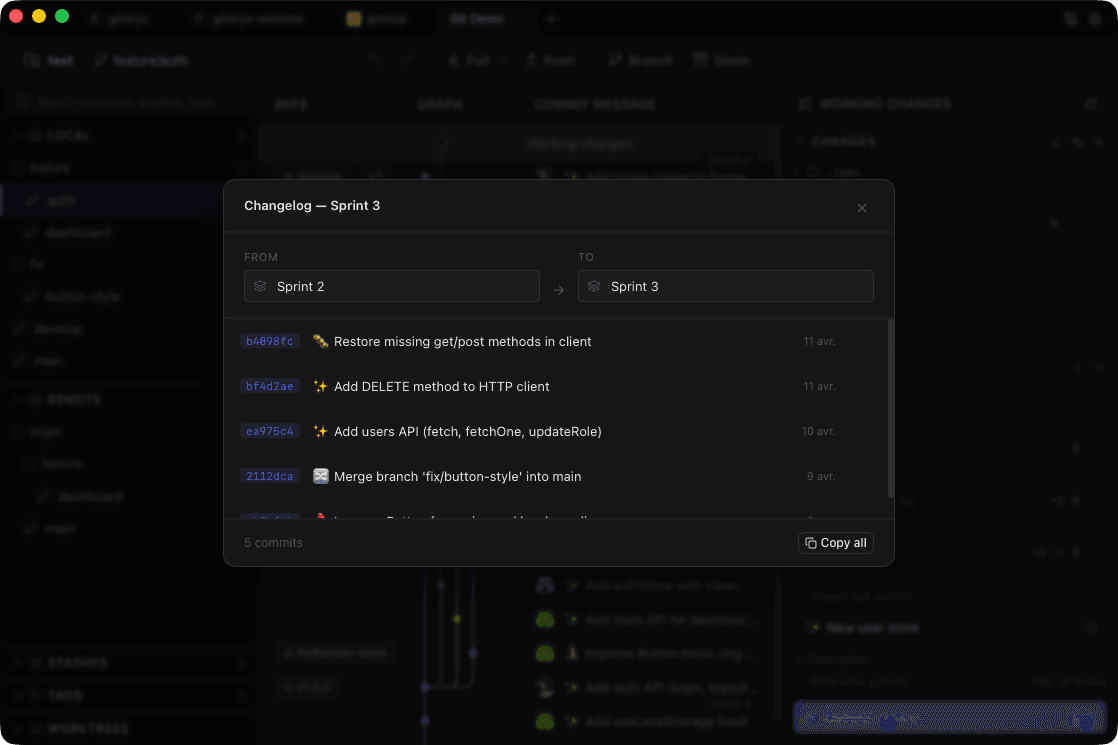
You do not need the CLI, though. Every step in this post is ordinary Git, and any client
that shows the graph properly makes the model easier to follow than a CLI does, because
the whole point of Git Flow is a branch structure and a branch structure is a shape. In
Gitoryx you branch from any commit in the graph, and dragging one branch onto another
opens a native menu offering merge or rebase, which is the ordinary Git Flow merge with
fewer opportunities to be on the wrong branch when you run it. The sidebar groups branches
into folders by prefix, so once you follow the naming, feature/, release/ and
hotfix/ stay visually separated on their own.
#The version worth keeping
If you strip Git Flow down to what earns its place for most teams, you get three rules.
Never commit directly to the branch that represents production. Cut a branch when you need to stabilise something while development continues. And when you fix production, put the fix on both lines the same day.
Everything else in the model is elaboration on those, and worth adopting exactly to the extent that your release process demands it.