
Git Hooks: Automate Actions at Key Points in Your Workflow
Git hooks are scripts that run automatically at specific points in the Git workflow: before or after commits, pushes, and merges. This tutorial shows you how to create and use hooks to enforce code quality, lint code, run tests, and automate repetitive tasks.
Intermediate11 min readUpdated
What are Git hooks?
Git hooks are executable scripts stored in .git/hooks/ that Git runs automatically at specific events: pre-commit, commit-msg, pre-push, post-merge, and more. They can block an action (by exiting non-zero) or simply execute side effects.
The short version
- 1Create the script in
.git/hooks/<hook-name> - 2Make it executable:
chmod +x .git/hooks/<hook-name> - 3Exit non-zero to block the Git action
- 4Use Husky to share hooks with the team via
package.json
Why it matters
Developers on your team keep committing without running the linter, or pushing code that breaks the test suite. You want to enforce quality checks automatically, without relying on everyone to remember.
Git hooks are scripts that run automatically at key points in the Git lifecycle: before a commit, after a push, before a merge, and more. They are the simplest way to enforce coding standards, run tests, and automate repetitive tasks locally, before anything reaches the remote.
Where it usually goes wrong
- Forgetting that hooks in
.git/hooks/are not committed to the repo and must be set up on each machine - Writing a hook without the execute permission set (
chmod +x) - Making a pre-commit hook so slow it frustrates the whole team
- Not knowing that
--no-verifybypasses all hooks
Git hooks, step by step
Step 1: Find the hooks directory
Every Git repository has a
.git/hooks/folder with sample hooks. Rename a.samplefile to activate it.Terminalls .git/hooks/# applypatch-msg.sample pre-commit.sample# commit-msg.sample pre-push.sample# ...Step 2: Create a pre-commit hook
A
pre-commithook runs before Git records the commit. If it exits with a non-zero status, the commit is aborted. This is ideal for running linters.Terminal# .git/hooks/pre-commit#!/bin/shnpm run lintif [ $? -ne 0 ]; then echo "Linting failed. Commit aborted." exit 1fiTip: Make the file executable:
chmod +x .git/hooks/pre-commitStep 3: Create a commit-msg hook
The
commit-msghook receives the path to the file containing the commit message. Use it to enforce a message format.Terminal# .git/hooks/commit-msg#!/bin/shMSG=$(cat "$1")PATTERN="^(feat|fix|chore|docs|style|refactor|test|ci)(\(.+\))?: .+"if ! echo "$MSG" | grep -qE "$PATTERN"; then echo "Commit message must follow Conventional Commits format." echo "Example: feat(auth): add login validation" exit 1fiStep 4: Create a pre-push hook
The
pre-pushhook runs beforegit pushsends commits to the remote. Use it to run the full test suite.Terminal# .git/hooks/pre-push#!/bin/shnpm testif [ $? -ne 0 ]; then echo "Tests failed. Push aborted." exit 1fiCareful: Keep pre-push hooks fast. A slow test suite in a hook will frustrate developers and encourage them to use
--no-verify.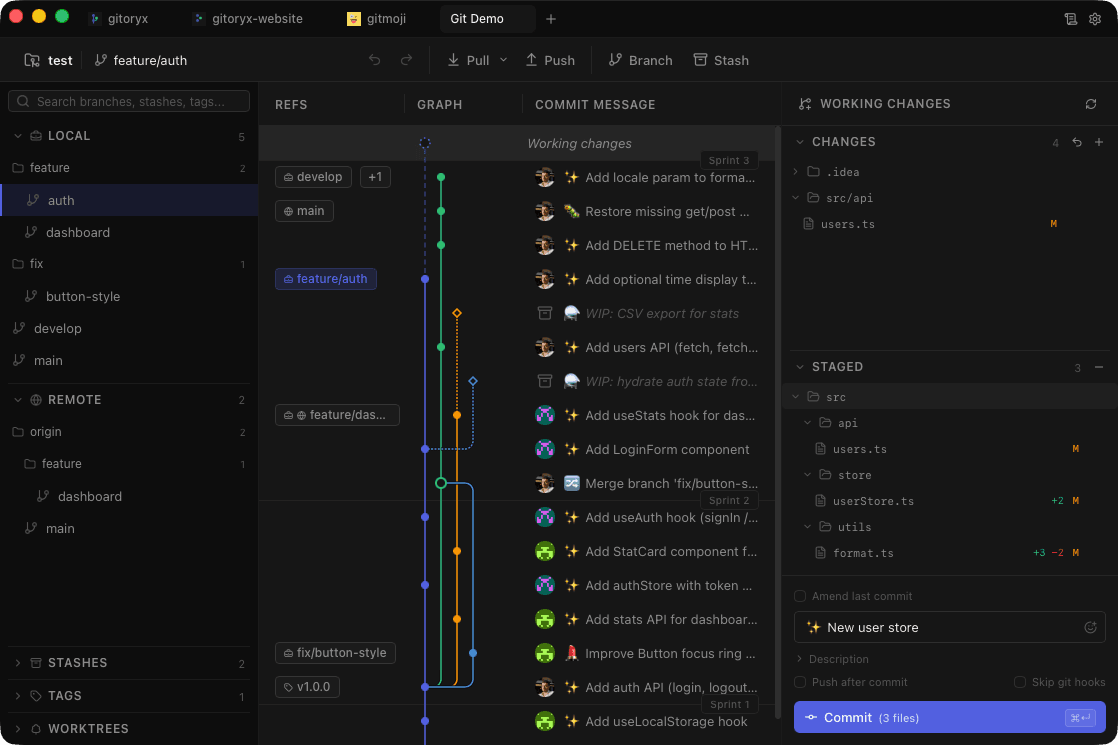
In Gitoryx: Pre-commit hook errors appear directly in the commit panelHow it works Step 5: Share hooks with your team using Husky
Because
.git/hooks/is not tracked by Git, hooks must be installed on each machine. Husky is the most popular tool for sharing hooks viapackage.json.Terminal# Install Huskynpm install --save-dev huskynpx husky init# Add a pre-commit hookecho "npm run lint" > .husky/pre-commitTip: Husky hooks live in
.husky/which is committed to the repo: everyone on the team gets the hooks automatically afternpm install.Step 6: Bypass hooks when needed
You can skip hooks with
--no-verify. Use this sparingly, for example when committing a WIP in an emergency.Terminalgit commit --no-verify -m "wip: emergency fix"git push --no-verifyCareful: Bypassing hooks defeats their purpose. Make sure your hooks run fast enough that the team never feels the need to skip them regularly.
Mistakes to avoid with git hooks
- Hooks not executable
- Git silently ignores hooks that don't have the execute bit set.
- Fix: Run
chmod +x .git/hooks/<hook-name>after creating the script. - Hooks not shared with the team
.git/hooks/is not committed. Other developers don't get your hooks when they clone the repo.- Fix: Use Husky (or lefthook, lint-staged) to store hooks in the repo and install them via a
preparenpm script. - Slow hooks that block productivity
- Running the full test suite on every commit creates friction and pushes developers to use
--no-verify. - Fix: Run only fast checks (lint, type-check) in pre-commit. Reserve slower checks (full tests) for pre-push or CI.
Git hooks in Gitoryx
Gitoryx respects your local Git hooks and shows hook output directly in the commit panel, so you can see linting errors inline without leaving the app.
- Pre-commit hook errors appear directly in the commit panel
- Failed hooks show the exit message without switching to the terminal
- Gitoryx never silently swallows hook output
Free plan · no account required · macOS, Windows and Linux
Git hooks: frequently asked questions
- Are Git hooks committed to the repository?
- No. Files in
.git/hooks/are not tracked by Git. To share hooks with your team, use a tool like Husky that stores hook scripts in the repo and installs them vianpm install. - How do I bypass a Git hook?
- Add the
--no-verifyflag:git commit --no-verify. This skips all pre-commit and commit-msg hooks. Use it sparingly. - What is the difference between pre-commit and commit-msg hooks?
pre-commitruns before Git even reads your commit message, which is ideal for running linters or tests.commit-msgreceives the commit message file and runs after you've typed the message, which is ideal for enforcing message format.- What is Husky and do I need it?
- Husky is a JavaScript package that manages Git hooks in a way that can be committed and shared via
package.json. If you're working in a Node.js/JavaScript project, Husky is the standard way to share hooks across the team.
Related reading
- Git Commit Conventions: Conventional Commits & GitmojiTutorial · 11 min
- Git Commit: The Complete Beginner's GuideTutorial · 9 min
- Git Push: Upload Your Commits to a Remote RepositoryTutorial · 8 min
- The Job Moved From Writing Code to Reviewing ItBlog · 9 min