
Compare
Gitoryx vs Git Cola
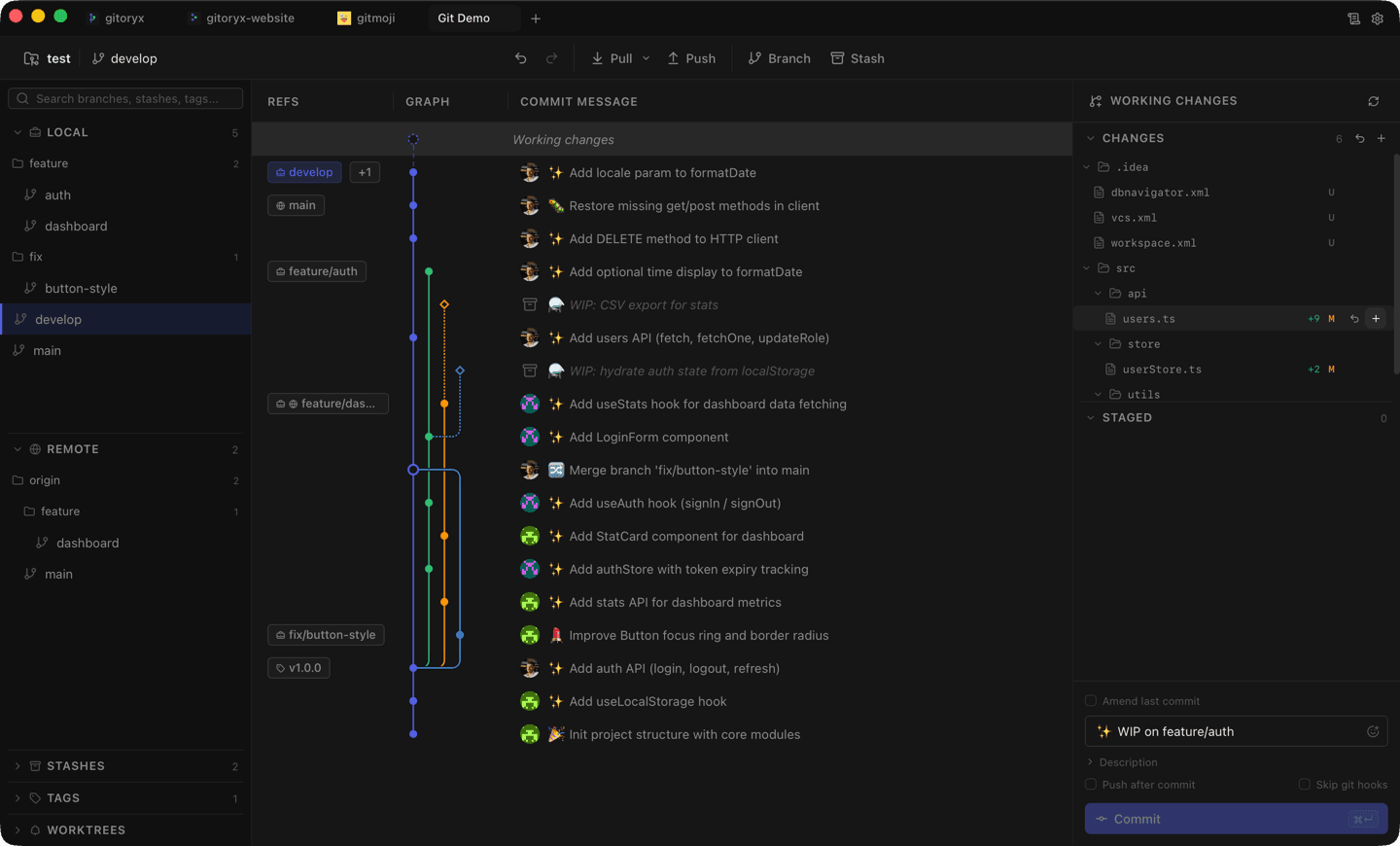
Git Cola is a free, open-source Git GUI written in Python that's been around since 2007. It's cross-platform and functional, but its interface requires opening a new window for nearly every action, its undo capability is limited to commits only, and it lacks drag-and-drop, real-time updates, and proper issue integrations. Gitoryx offers all of this in a single coherent application.
Feature comparison
| Feature | Gitoryx | Git Cola |
|---|---|---|
| macOS / Windows / Linux | ||
| Visual commit graph (in main view) | ||
| Real-time UI updates | ||
| Drag-and-drop actions | ||
| 1-click undo/redo | ||
| Multi-repo tabs | ||
| In-app PR management | ||
| Fine-grained diff (hunk/inline/split) | ||
| Easy install (< 2 minutes) | ||
| Free |
Interface fragmentation
Gitoryx: Single unified viewGit Cola: New window for every actionGit Cola opens a new window for almost every operation — the graph, the file browser, and the diff view are all separate windows. Gitoryx presents everything in a single application with tabs for multiple repositories and a layout you don't have to reassemble for each task.
Commit graph
Gitoryx: Integrated in main viewGit Cola: Separate window requiredViewing the commit graph in Git Cola requires opening a separate window. Branch names and diff info are in yet another view — you have to piece the picture together from multiple places. In Gitoryx, the graph is the center of the interface, with commit details accessible directly from it.
Undo/Redo
Gitoryx: Full undo for any actionGit Cola: Commit undo only, no redoGit Cola can undo or amend the last commit — and that's it. There's no redo, and no way to undo discarding changes, branch deletion, or remote removal. Gitoryx supports undo and redo for all major Git actions.
Real-time updates
Gitoryx: AutomaticGit Cola: Manual refresh requiredGit Cola requires you to manually refresh the interface (⌘R or File → Refresh) to see changes. Gitoryx updates in real-time as you work — no manual refresh needed.