
Back
GitoryxGitoryx

Gitoryxvs
SmartGit

SmartGit is a cross-platform Git client built on Java that also supports SVN and Mercurial. It's feature-rich and has been around for years, earning a loyal base among power users who manage multiple version control systems. However, its interface is dense and can feel overwhelming, and its Java architecture means higher memory usage and slower startup. Gitoryx focuses exclusively on Git with a clean, native interface and modern productivity features like AI commit messages, 1-click undo, and a command palette.

Choose Gitoryx if

you want a fast, modern native app with AI commit messages, 1-click undo, a command palette, and Azure DevOps support, without the complexity of a multi-VCS tool.

Stick with SmartGit if

you also manage SVN or Mercurial repositories and want a single tool that handles all of them, or you need Linux support.

Free plan · no account required · macOS 12+ & Windows 10+ · ~12 MB

Only in Gitoryx

AI commit messages (multi-provider)1-click undo/redo for all actionsGit bisect UICommand paletteIntegrated terminal
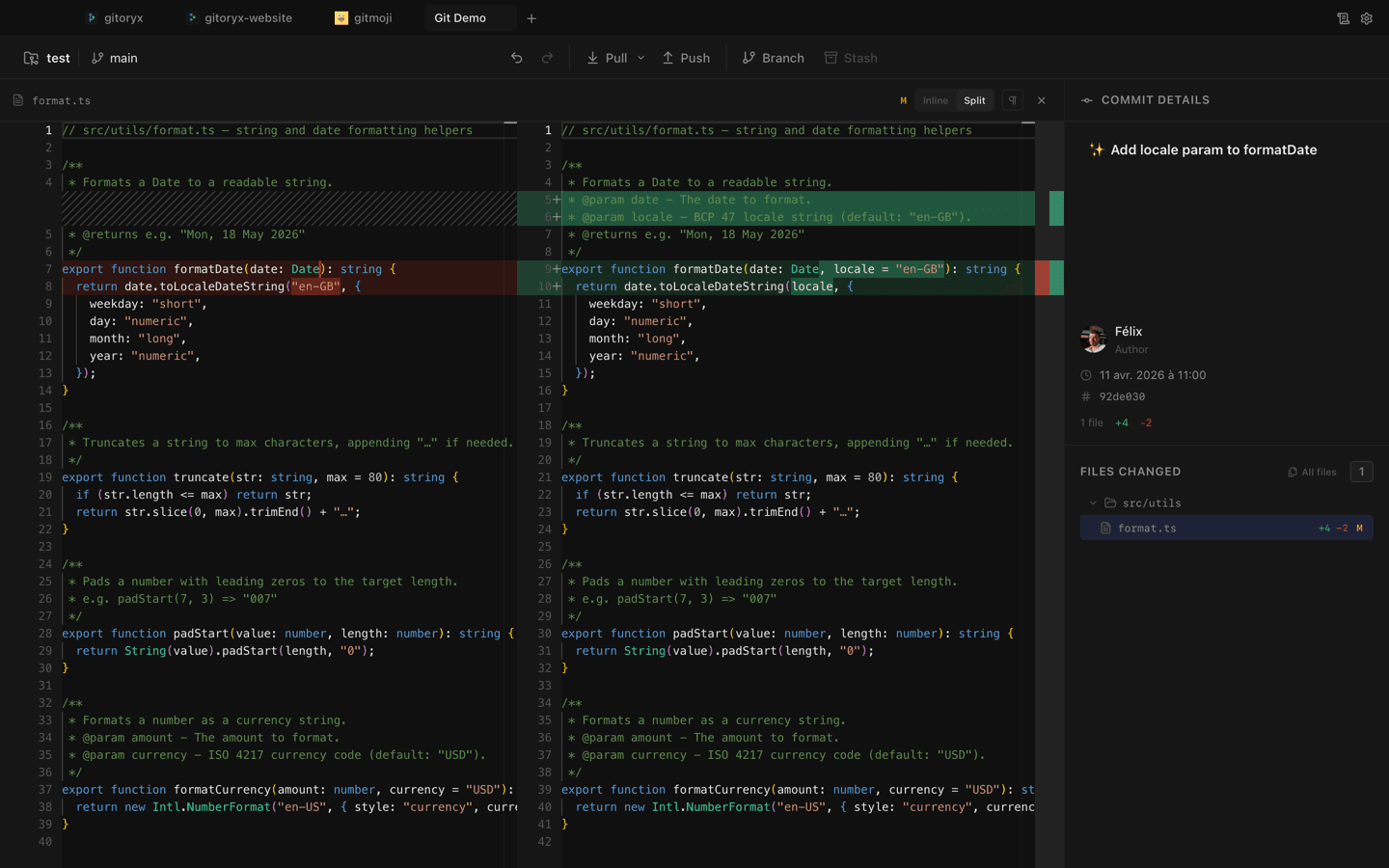
Gitoryx screenshot showing character-level diffs and minimap

Clean interface with character-level diffs and minimap

Feature comparison

FeatureGitoryxSmartGit
Core Git
Visual commit graph
Interactive rebase
Cherry-pick & revert
Built-in merge conflict editor
Line-level & hunk-level staging
Git blame & file history
Stash management
Advanced Git
Git bisect UI
Reflog viewer
Git worktrees management
Patch generation (format-patch)
Changelog generation
Commit signing (GPG + SSH)
AI & Productivity
AI commit messages
Gitmoji picker
1-click undo/redo (all actions)
Command palette / fuzzy finder
Sprint boundary visualization
Drag-and-drop branch operations
Integrations & Platform
macOS & Windows
Linux
In-app PR: GitHub
In-app PR: GitLab
In-app PR: Bitbucket
In-app PR: Azure DevOps
SVN & Mercurial support
No account requiredFree non-commercial

Architecture & performance

Gitoryx: Native Tauri 2, ~12 MB, instant startupSmartGit: Java-based, heavier footprint

SmartGit relies on Java, which enables broad cross-platform support including Linux but comes with higher memory usage and slower startup times. Gitoryx is built on Tauri 2 with a Rust backend, delivering native performance in a ~12 MB package that opens instantly. The difference is most noticeable when switching between repos or navigating large commit histories.

User interface & workflow

Gitoryx: Clean UI, command palette, drag-and-dropSmartGit: Dense, feature-rich menus

SmartGit's interface exposes a wide range of functionality through menus, toolbars, and panels. Experienced users appreciate the density, but newcomers often find it overwhelming. Gitoryx takes a more streamlined approach with a command palette for quick access, drag-and-drop branch operations, and 1-click undo/redo, making advanced Git operations feel approachable without hiding power.

Advanced Git operations

Gitoryx: Bisect, reflog, worktrees, patches, changelogSmartGit: Not available

SmartGit covers the core Git operations well but does not expose bisect, reflog, or worktrees through its interface. Gitoryx provides dedicated UI for all of these: the bisect UI guides you through binary search debugging, the reflog viewer shows the full history of any ref, and worktree management lets you work on multiple branches simultaneously without stashing.

Version control system support

Gitoryx: Git-focused with deep coverageSmartGit: Git, SVN, and Mercurial

SmartGit's standout differentiator is its support for SVN and Mercurial alongside Git, which is valuable for teams managing legacy repositories. Gitoryx focuses exclusively on Git, which allows it to go deeper on Git-specific features. If you're fully committed to Git, Gitoryx's focused approach delivers more specialized tooling.

Pricing

Gitoryx: Free tier + affordable ProSmartGit: $59–$90/year, free for non-commercial

SmartGit's basic license starts at $59/year per user, and full features run closer to $90/year. It's free for non-commercial use, but that restriction can be limiting. Gitoryx offers a free tier with no account required and no commercial-use restriction, plus affordable Pro pricing.

Frequently asked questions

Is Gitoryx a good SmartGit alternative?

Yes. SmartGit is feature-rich but dense and runs on Java. Gitoryx keeps the same Git power behind a cleaner UI and adds AI commit messages, a command palette, 1-click undo, bisect, reflog, and Azure DevOps integration.

Does SmartGit support AI commit messages?

No. Gitoryx integrates with Claude, OpenAI, GitHub Models, and custom endpoints to generate contextual commit messages from your staged changes.

Does SmartGit run on Linux?

Yes, SmartGit runs on macOS, Windows, and Linux thanks to its Java architecture. Gitoryx currently supports macOS and Windows. If Linux is a hard requirement, SmartGit has the edge there.

Which tool is better for SVN or Mercurial?

SmartGit is the clear choice if you need SVN or Mercurial support. Gitoryx is Git-only, so teams with legacy VCS repos would need a separate tool.

Ready to try Gitoryx?

Try it for free, no account required.

Gitoryx

Stop fighting Git. Start shipping.

Download the fast, native Git client that developers actually enjoy using.

v0.0.46 · macOS 12+ · Windows 10+ · Apple Silicon & Intel · ~12 MB