
Back
GitoryxGitoryx

Compare

Gitoryx vs TortoiseGit

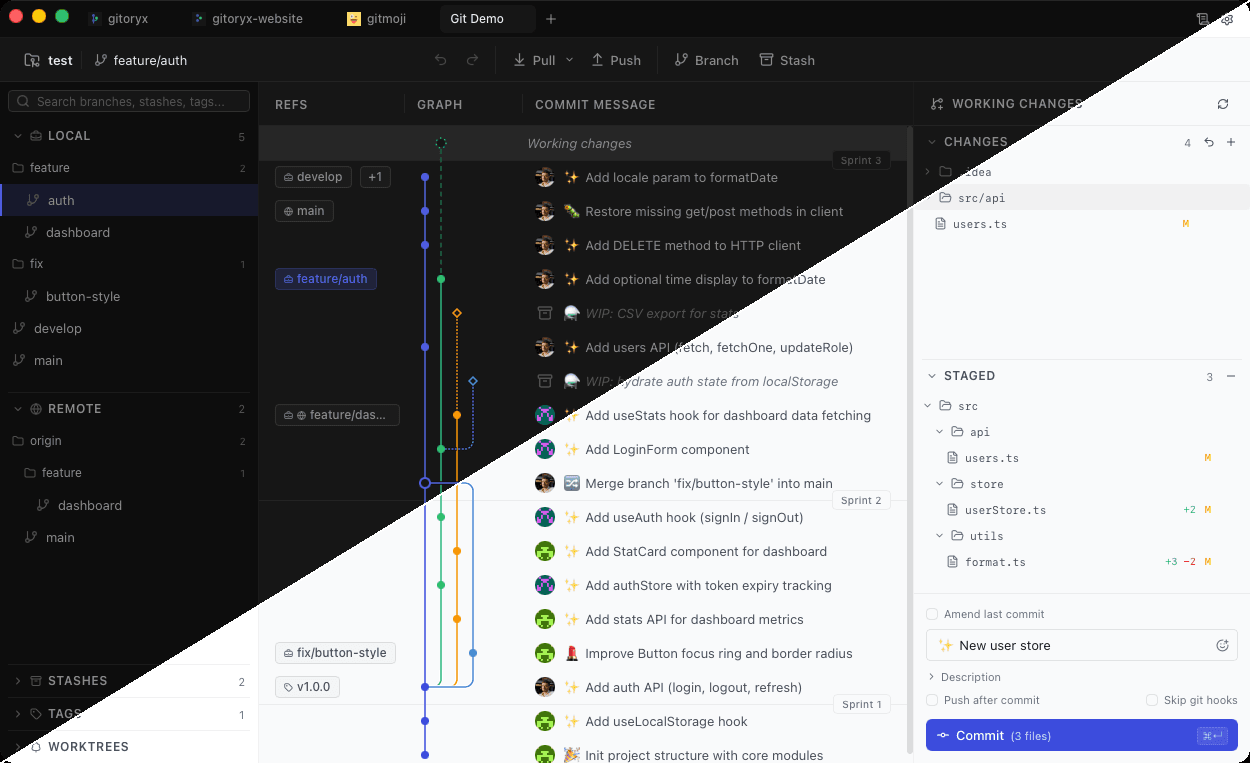
TortoiseGit integrates Git into Windows Explorer through shell extensions. It was a clever approach when Windows was the dominant developer platform, but it's Windows-only, has no dedicated app window, and its UI reflects the Windows ME era it was born in. Gitoryx is a purpose-built, cross-platform Git client designed for modern workflows.

Feature comparison

FeatureGitoryxTortoiseGit
macOS support
Windows support
Linux support
Standalone dedicated app
Visual commit graph
Drag-and-drop actions
1-click undo/redo
Fine-grained diff controls
Easy staging / unstaging
Keyboard shortcuts
In-app PR management
Free

Platform support

Gitoryx: macOS, Windows, LinuxTortoiseGit: Windows only

TortoiseGit only runs on Windows — it's a Windows Explorer shell extension by design. Gitoryx is a native standalone application that runs on macOS, Windows, and Linux.

Interface

Gitoryx: Dedicated app with clear layoutTortoiseGit: Right-click menus, no app window

TortoiseGit has no dedicated application window. Every action is accessed through right-click context menus in Windows Explorer, each opening a new dialog window. There are no keyboard shortcuts, no drag-and-drop, and staging is obscured rather than surfaced. Gitoryx presents everything in a single, coherent application window.

Staging

Gitoryx: Clear, per-line stagingTortoiseGit: Staging concept obscured

TortoiseGit doesn't even expose staging as a clear menu option. It lets you commit individual files, but there's no clear indication of what's staged vs unstaged. Gitoryx makes staging explicit and lets you stage individual hunks or lines of code directly in the diff view.

Undo/Redo

Gitoryx: 1-click undoTortoiseGit: Not available

TortoiseGit offers access to the reflog but has no undo button. Gitoryx lets you undo checkout, commit, discard, branch deletion, remote removal, and branch reset with a single click.

Gitoryx

Stop fighting Git. Start shipping.

Download the fast, native Git client that developers actually enjoy using. Free during early access — no account, no credit card.

v0.0.23 · macOS 12+ · Windows 10+ · Linux · Apple Silicon & Intel · ~12 MB