
Compare
Gitoryx vs Magit
Magit is a legendary Git interface for Emacs users. If you live in Emacs, it's arguably one of the best Git experiences available. But it requires Emacs — which has a steep learning curve of its own — has no visual commit graph, and is not accessible to developers outside the Emacs ecosystem. Gitoryx provides a visual, intuitive Git client that any developer can pick up in minutes.
Feature comparison
| Feature | Gitoryx | Magit |
|---|---|---|
| Standalone app (no editor required) | ||
| macOS / Windows / Linux | ||
| Visual commit graph | ||
| Mouse / trackpad support | ||
| Interactive rebase | ||
| Merge conflict tool | ||
| In-app PR management | ||
| No Emacs required | ||
| Quick onboarding | ||
| Free |
Accessibility
Gitoryx: Anyone can use itMagit: Emacs users onlyMagit requires Emacs, and getting productive in Emacs can take weeks. One user described "3–4 weeks of diminishing productivity" just learning the environment before touching Magit. Gitoryx installs and runs without any prerequisites — you're in your first repo within minutes.
Visual graph
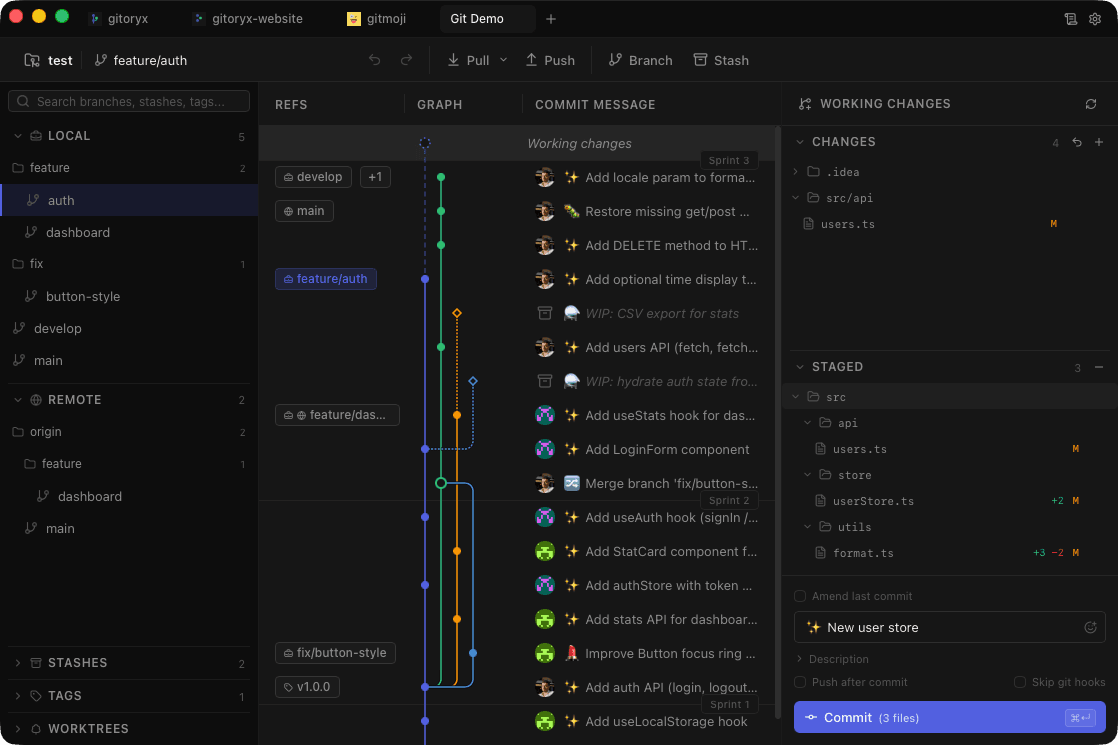
Gitoryx: Full visual commit graphMagit: Text-based status bufferMagit presents repository state as a text buffer inside Emacs. There is no visual graph. Gitoryx renders a full color-coded commit graph that shows branch relationships, merges, and history at a glance — without needing to read text output.
Integrations
Gitoryx: GitHub, GitLab, Bitbucket, Azure DevOpsMagit: Partial, via ForgeMagit's Forge extension provides partial integration with GitHub and GitLab, with limited support for other services. Gitoryx has first-class integration with GitHub, GitLab, Bitbucket, and Azure DevOps — including self-hosted versions.